


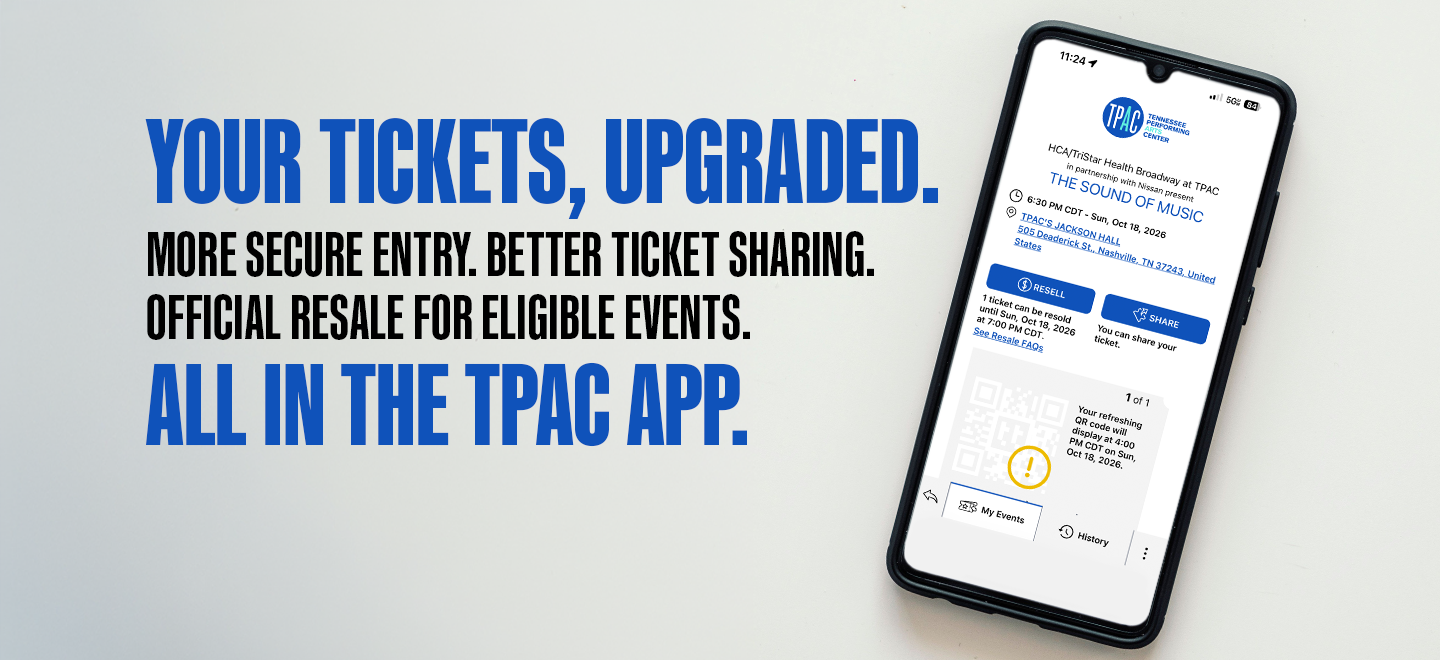
Your TPAC Tickets, Upgraded.
More secure entry. Better ticket sharing. Official resale for eligible events. All in the TPAC app.
Your tickets are still in the TPAC app, but you'll now benefit from:
- Enhanced ticket security with live QR codes
- Improved ticket sharing
- Official resale at face value for eligible events
- Verified ticket ownership
What's Changing?
More Secure Tickets
Your mobile tickets now feature a live QR code that refreshes automatically to help protect against ticket fraud and unauthorized sharing.
Better Ticket Sharing
When you send tickets to friends or family, they'll claim the tickets through their own account, making sharing more secure and ensuring everyone has access to their own tickets. You can now share tickets immediately upon purchase.
Official Ticket Resale
Can't attend? Eligible tickets can be listed through TPAC's official resale marketplace and securely resold to a new buyer.
What's Staying the Same?
- You'll continue to use the TPAC app.
- Your TPAC account and login information are not changing.
- Mobile tickets are still used for entry
- You can still share tickets
- Your TPAC experience remains the same
How Ticket Resale Works
If your event is eligible for resale:
- Open your ticket in the TPAC app.
- Select the resale option.
- Complete your listing.
- Receive payment securely through Stripe if your ticket sells.
Frequently Asked Questions
Resale
How do I resell my ticket?
If your ticket is eligible for resale:
- Open your ticket in the TPAC app.
- Select the resale option.
- Follow the prompts to create your listing.
- Review the listing details and submit.
- Once your ticket is sold, the transfer to the buyer is handled automatically through the ticketing system.
Which events are eligible for resale?
Resale availability is determined by the event organizer and may vary by performance. Eligible TPAC Presents, Broadway, resident company, and select rental events may offer resale options. Availability will be clearly displayed within the ticket experience.
Can I set my own resale price?
If permitted for your event, you may be able to choose your resale price. However, tickets listed through TPAC's official resale marketplace cannot be sold for more than their original face value.
Can I sell my tickets for more than face value?
No. Tickets listed through TPAC's official resale marketplace cannot be sold for more than their original face value. This helps maintain fair and transparent pricing for all patrons.
How do I know if my tickets sell?
You'll receive a notification confirming that your ticket has been purchased and successfully transferred to the buyer.
Can I share tickets to a friend instead of selling them?
Yes. Ticket sharing remains available for eligible events. If you're giving your tickets to someone you know, sharing the tickets directly may be a better option than listing them for resale.
Does TPAC guarantee that my tickets will sell?
No. Listing tickets for resale does not guarantee a sale. Sales depend on buyer demand, ticket availability, pricing, and other market factors.
When/How will I receive payment after my ticket is sold?
To receive payment for a resale transaction, you'll be asked to create or connect a Stripe account during the resale setup process. Once your ticket sells, payment will be processed securely through Stripe and deposited into your designated bank account according to the marketplace's payment schedule.
Why don't I see a resale button?
Not all tickets are eligible for resale. Eligibility can vary based on the event, ticket type, purchaser, resale availability window or other details.
Are my tickets still valid while they are listed for resale?
Once listed, your tickets are locked for resale and can’t be used to access the event. If you decide to use them instead, you can cancel your listing by clicking the Cancel Resale Listing button on the listed tickets in your TPAC App. You may not be able to cancel your listing if your tickets are currently in a buyer’s cart. Once tickets are sold, your tickets will no longer appear on the app and cannot be recalled.
General Questions and Ticket Sharing
Do I need a new app?
No. Tickets will continue to be available in the TPAC app.
What is a live QR Code?
A live QR code updates automatically within your mobile ticket. Unlike a static barcode or screenshot, the code refreshes regularly to help ensure that only valid tickets can be used for entry.
Can I use a screenshot of my tickets?
You should access your ticket directly through the TPAC app. Since tickets now use a live QR code, screenshots will not contain the current code required for entry.
Why does my ticket look different?
Your ticket has been updated with enhanced security features, including a live QR code that refreshes automatically. This helps protect against fraud, unauthorized sharing, and invalid screenshots.
How does ticket sharing work?
Ticket sharing is still available. When you share a ticket, the recipient will receive an invitation to claim the ticket through their own account. Once accepted, the ticket will appear in their TPAC app.
Why do recipients need their own account?
Requiring recipients to claim tickets through their own account provides clearer ticket ownership, improves security, and allows TPAC to better assist patrons when support is needed.
How do I claim a ticket that was shared with me?
- Click the link shared with you.
- Log in using the email address associated with your account or create a new account if you don’t have one.
- Accept the tickets.
Why don't I see my tickets on the app?
There are a few reasons your tickets may not appear in the TPAC app:
-
Verify your login information. Make sure you are signed in with the same email address and password used to purchase or claim your tickets.
-
Check your delivery method. Only orders with Digital Delivery or TPAC Concierge selected will have tickets available in the app. Review your order confirmation for delivery details. If you need to update your delivery method, call the TPAC Box Office at 615-782-4040.
-
Confirm your tickets are paid in full. Tickets will appear in the app once they have been fully paid. If you are a season ticket holder on a payment plan, tickets for each performance will become available in the app after that performance has been paid in full.
Need Help?
TPAC Patron Services
Questions about your tickets, transfers, or resale?